 CloudPhone
Blog
Pokémon GO virtual GPS and joystick guide
Teleport to Tokyo, walk with a joystick, hatch eggs from your desk. How the cloud phone's virtual GPS works, and why changing location breaks the game's terms.
Add CloudPhone Go as a preferred source on Google, and our new guides show up more often when you search for games and idle setups. One tap, and you can remove it any time.
Setup steps and recommended plan: Pokémon GO game guide →
What is a cloud phone's virtual GPS, and can you use it for Pokémon GO?
Yes. CloudPhone Go has a built-in virtual GPS: type coordinates or pick a popular landmark to teleport, then move with the on-screen joystick or WASD at walking, cycling, driving or a custom speed, and Pokémon GO reads the new location. Changing your location is against the game's terms of service, so whether and how you use it is your call and your risk.
CloudPhone Go is a real Android phone in a Taiwan data centre that you control from a browser. Safari on iPhone and iPad works, as does any modern browser with WebCodecs on Android, Windows, Mac or Linux. There is no app to install, and the phone keeps running 24/7 after you close the tab.
This guide covers teleporting, joystick speeds, the cooldown idea, common mistakes and which plan fits, then ends with an FAQ. It also says plainly up front: changing location breaks the game's terms, and nothing below makes it allowed or safe.
Why use a cloud phone instead of spoofing on your own phone?
Changing location on your own phone usually means extra tools and developer settings, and on iPhone it is even more awkward. A cloud phone is a separate Android device with location control already built into the control bar, so your own phone stays untouched.
- Your own phone stays free: the game runs on the cloud phone, and your phone is free for everything else.
- Always on: the cloud phone keeps running after you close the browser, so you pick up where you left off.
- Any device: laptop at work, iPhone on the train, tablet at home. Open a browser and it is the same phone.
- Low latency: measured in September 2026 from Taiwan fibre and 5G to our Taiwan data centre, median latency was under 10 ms (it varies by network), so throwing balls and spinning stops feels close to local.
Streaming is WebRTC direct with H.265 and no relay server. The connection quality indicator shows RTT, packet loss and FPS, so check it first if things feel slow.
How do you teleport to a landmark in one tap?
Start with the landmark list the first time, then move on to exact coordinates once you are comfortable. You can copy coordinates from any map site and paste them into the cloud phone with Ctrl+V or Cmd+V.
- Open CloudPhone Go in your browser and enter your cloud phone.
- Tap GPS on the control bar to open the location panel.
- Pick a landmark such as Shibuya, Tokyo, or type latitude and longitude.
- Confirm the location and give it a moment to settle before opening the game.
- Open Pokémon GO. If the map still shows the old spot, fully close the game and reopen it.
- Look at the nearby stops and gyms and decide where to walk next.
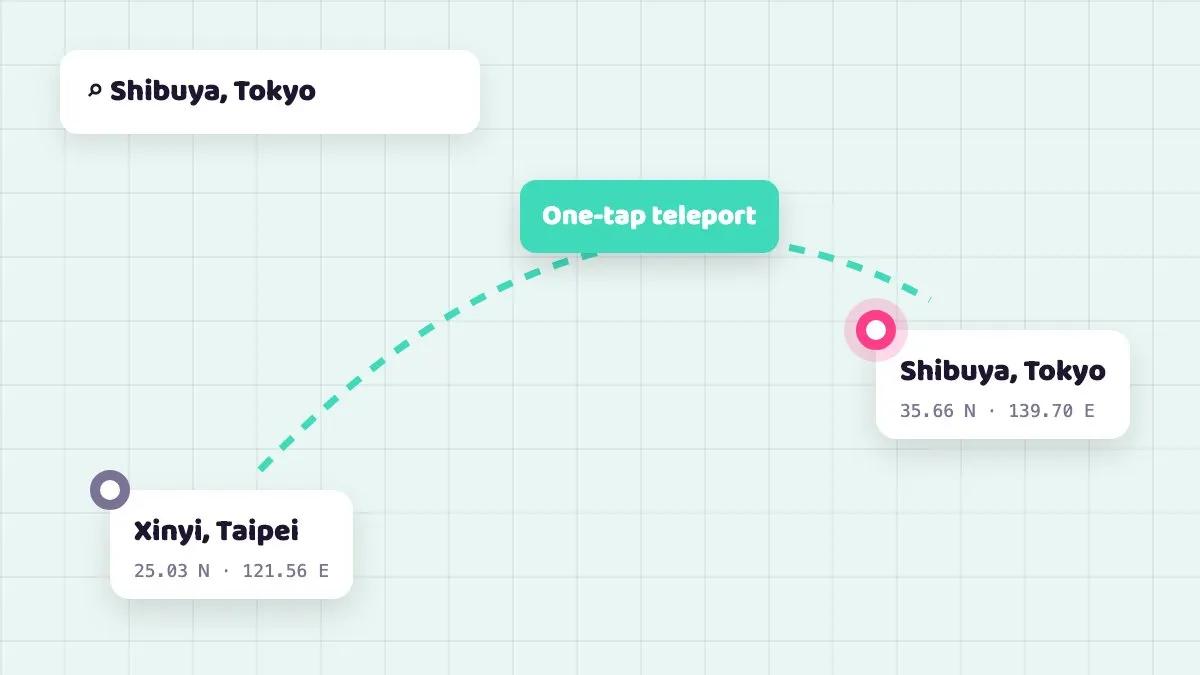
The teleport is only the starting point. How fast you move afterwards decides whether the game counts the distance.
How do the joystick and WASD work, and which speed should you pick?
After a teleport, move with the joystick or WASD. On a computer WASD is the most comfortable; on iPhone, drag the on-screen joystick. There are four speed modes, and choosing the right one matters more than how far you go.
| Speed mode | Good for | Notes |
|---|---|---|
| Walking | Hatching eggs, buddy distance, spinning stops, catching | Most natural; use it for daily play |
| Cycling | Covering a neighbourhood faster, quests | Built-in cycling speed is about 40 km/h, so egg distance usually does not count |
| Driving | Moving between areas | Usually too fast for egg distance to count |
| Custom | Fine control over pace | Set by you |
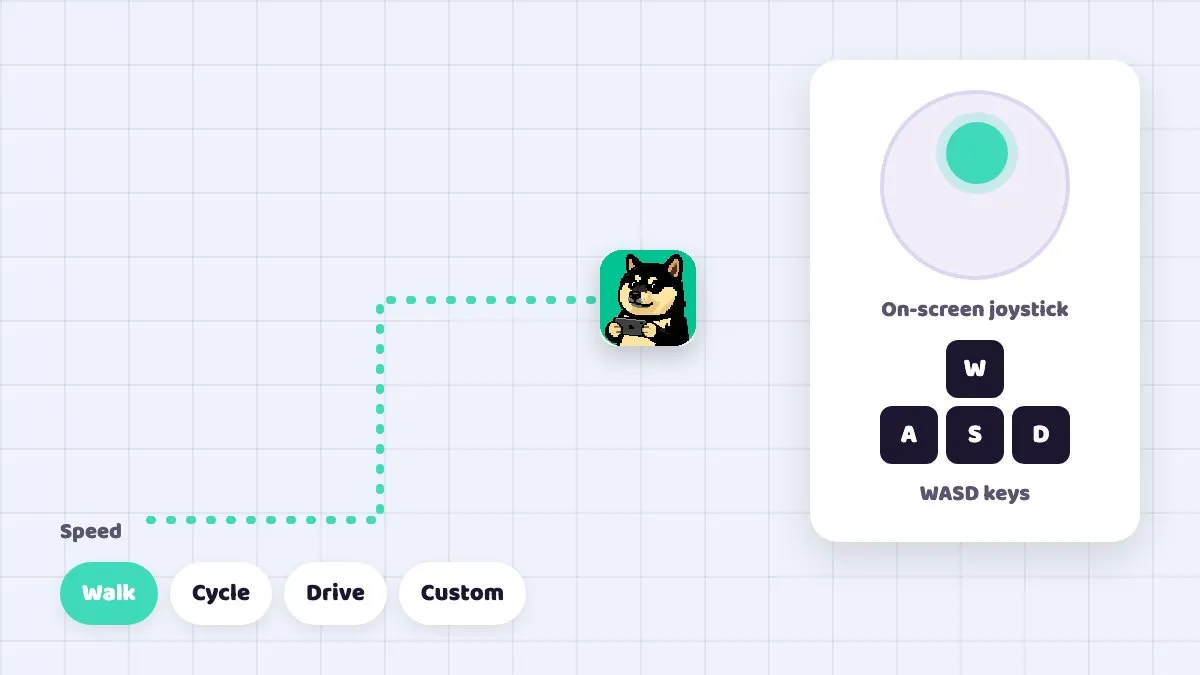
While the GPS moves at walking speed, CloudPhone Go also simulates steps, up to 3 per second, with the system pedometer permission already granted. The location and step count the game sees line up, instead of a position that moves while steps stay at zero.
How long should you wait after a teleport?
The Pokémon GO community passes around cooldown rules for how long to wait after a teleport, but the game's publisher has never published any numbers, and no amount of waiting makes changing location allowed or safe, so we do not give a wait table here.
Practical uses: eggs, buddies and exploring from your desk
Plenty of people use virtual GPS not to tour the world but because they simply do not have time to walk. These are the common, gentler ways to use it.
- Hatching eggs: pick a park path and walk it back and forth at walking speed while you work.
- Buddy candy: buddy distance builds the same way as egg distance, so one route does both.
- Stocking up: walk slowly through a street dense with stops to refill balls and potions without jumping around.
- Trip preview: before travelling, teleport to your destination to see the stops there, then play on your own phone when you arrive.
What players say: if your problem is simply having no time to go out, the game added the Explorer Gadget in August 2026. From Trainer level 20 it catches Pokémon with Poké Balls and spins PokéStops while the game runs in the background, up to a daily cap that depends on your level. Players testing it on the Bahamut Pokémon GO board report that it catches almost nothing if you stay in one place and only works well when you actually move. It is an official feature and needs no location change.
The joystick only moves while you are holding it; let go and you stay where you are.
Common mistakes and troubleshooting
- Changing location with the game already open: set the GPS first, let it settle, then open the game. If it sticks on the old spot, fully closing and reopening usually fixes it.
- Thinking a long enough wait makes it fine: players often say to wait after a jump, but that is lore, not an official rule, and no wait makes changing location allowed or safe.
- Living in driving mode: driving speed usually does not count for eggs, so the distance is wasted.
- A stuck key: if you switch windows while holding WASD, the key can stay pressed and you return to find you walked a long way. Release keys before switching.
- Coordinates will not paste: Ctrl+V or Cmd+V needs your browser's clipboard permission, so allow it when asked.
- Black screen or no connection: strict corporate VPNs or firewalls can block direct WebRTC, and old browsers without WebCodecs cannot play the stream. Try another network or update the browser.
- Input feels laggy: check RTT and packet loss on the quality indicator. Moving from weak Wi-Fi to a cable or 5G often helps a lot.
Terms of service and risk: an alt is not a safe workaround
To be direct: changing location in Pokémon GO is against the game's terms of service and can lead to warnings, restrictions or a ban. CloudPhone Go provides the tools and cannot promise your account will not be actioned. How you use them is your decision and your risk.
Do not treat a second account as a safe way to test either: section 3.1 of the Scopely Explore terms lists playing with multiple accounts for the same service as cheating, with the same possible penalties as changing location.
What players say: in an August 2025 PTT thread about a gym taken by a suspected spoofer, most replies felt that official reports rarely lead anywhere because spoofing is hard to prove, and some warned against assuming every remote gym attack is a spoofer. In the other direction, in October 2024 long-time players who say they never cheated received a first-strike warning that locked most features for about 7 days; appeals got form replies, and a day later the developer apologised on social media and lifted the locks. These are player accounts, not official statements. They show that detection and penalties are opaque, not that spoofing is less likely to be caught.
胖胖 on our team plays Pokémon GO himself, and his advice is simple: changing location breaks the terms, so do not risk any account you care about.
Which plan should you choose?
Pokémon GO is not a heavy game, so Starter is enough for most players. Every plan includes 32 GB of storage, and Google Play is built in, so you sign in and install the game directly.
| Plan | Spec | Beta monthly | Beta yearly (per month) |
|---|---|---|---|
| Starter | 2 cores, 4 GB | NT$489 | NT$419 (NT$5,028/year) |
| Standard | 4 cores, 8 GB | NT$929 | NT$789 (NT$9,468/year) |
| Performance | 8 cores, 16 GB | NT$1,749 | NT$1,489 (NT$17,868/year) |
Sign in with Google and no password is stored, checkout is through Stripe, and you can cancel renewal any time.
FAQ
Q: Do I need root or anything installed on my phone? A: No. Location control is built into the CloudPhone Go cloud phone; your own iPhone or Android just views and controls it through a browser.
Q: Will using virtual GPS definitely get me banned? A: Nobody can promise either way. Changing location breaks the game's terms, so any use carries risk. Neither an alt nor waiting out a cooldown makes it safe, and section 3.1 of the terms also bans multiple accounts for the same service.
Q: Can I hatch eggs by walking with the joystick? A: At walking speed the game usually counts egg and buddy distance normally, and CloudPhone Go simulates matching steps. At high speed the game usually does not count distance.
Q: Does my character keep walking after I close the browser? A: The cloud phone stays on, but the joystick only moves while you use it. After you close the browser, your character stays where it is.
Q: Does it work on iPhone? A: Yes. Open it in Safari, and you can add it to your Home Screen so it feels like an app.
Q: Can I use an alt to protect my main account? A: No. Section 3.1 of the Scopely Explore terms lists playing with multiple accounts for the same service as cheating, so the alt itself breaks the terms.
Q: I got a warning without changing my location. What can I do? A: Appeal through the in-game or Help Center support channel. Players reported that in October 2024 a batch of accounts that had not used cheats received a mistaken first-strike warning; appeals first got form replies, then the developer apologised and lifted them. That is a player account, and there is no official promise that an appeal will succeed.
Q: Is there an official way to play without keeping the game open? A: Yes. From Trainer level 20 you can turn on the Explorer Gadget, which catches with Poké Balls and spins PokéStops in the background up to a daily cap. Players report that it works much better when you are actually moving. It needs no location change and is within the terms.
Sources
- Scopely Explore (formerly Niantic) Terms of Service, section 3.1 Cheating
- Scopely Explore Player Guidelines (location spoofing banned)
- TechCrunch: Niantic explains how and why it bans players in Pokémon GO (three-strike policy, 2018-07-20)
- Apple Support: add a website icon to your iPhone Home Screen in Safari
- WebKit blog: Async Clipboard API (2020-06-23), iOS Safari shows a Paste callout
- PTT PokemonGO board, "Dealing with suspected spoofers attacking gyms", 2025-08-21 (player opinions)
- PTT PokemonGO board, "Mistaken warnings and account locks", 2024-10-27 (player reports of a false strike and apology)
- Bahamut Pokémon GO board, "New feature: Explorer Gadget", 2026-08-12 (player tests)
- Pokémon GO official news, "The Explorer Gadget Debuts!" (level 20+, daily cap, Poké Balls only)
About CloudPhone Go: it is a cloud phone service. Your game runs on a dedicated, real Android phone in a Taiwan data center and keeps going after you turn off your computer or phone.